Well, here we are: the last Monday Blog for February 2018. So far, I’d say this has been a good month for W.E. Several of you downloaded copies of my eBooks, so thank you very much for that. I hope you enjoy reading them. This week, I wanted to share a few tips I learned while using Amazon’s Create Space, and mention some upcoming books.
Create Space Tips
I’m not an expert on how to use Create Space, but I have used it often enough to learn a thing or two. So, I’m going to share a little info with you here:
Be Mindful of the Browser You’re Using: Yes, that probably sounds stupid, but it makes a different. On my computer, I have the latest versions of Internet Explorer, Firefox and Google Chrome. Whenever I upload a manuscript, as a DOC or a PDF, I have noticed, the margins may get reset or the text ends up looking “jumbled”, depending on which browser I’m using. My advice” the latest version of Internet Explorer. Don’t get me wrong: I love Google Chrome, but there’s something about it that doesn’t seem to work well with Create Space. Or, maybe it’s just me…
Use Catchy Titles: I know, “Don’t judge a book by its cover”. Malarkey. We judge. We judge all the time. Not only are we looking at the covers of the books we chose, we look at the titles. I’m not likely to read a book with the title, “Farting Can Save You!”, especially if the book is meant to be taken seriously. Titles should reflect what the book is about, and draw the reader in. Also, please note: once you have chosen a title and locked in an ISBN number, YOU CAN’T CHANGE IT!
If You Can Do It Yourself, Then Do It Yourself: I don’t know about you, but I’m not rich. I can’t afford to hire a dream team of editors, illustrators, and the like. I do everything on my own. It’s not fantastic, but my creations are my creations, and I’m proud of that. When it comes to my books, at least I’m the one calling the shots. But, if you’re not good at editing or drawing, or whatever else your book needs, and you need to hire someone (and can afford to), then kudos to you.
Yes, You Can Go Back and Make Corrections! Isn’t that great? You publish your book and spot a mistake after the fact, and think, “Well, I guess that word will just have to go on being misspelled”. Not true. Even after a book is published and available for sale, you can still upload a corrected version if you need to. I’ve worked with other Print-On-Demand publishers in the past, and they wanted to literally charge an arm and a leg to make corrections. With Create Space, it’s FREE.
Let The Interior Finish Processing before You Work on the Cover: When you upload the interior of your book, a little message pops up, that says it’s processing. It offers you the opportunity to begin working on your cover, while you wait. My advice: WAIT. I used to start working on the cover while the interior was processing, and then I ended up having to go back and do the cover all over again…and again…and again. My advice: just wait until the interior is exactly the way you want it, before moving on to the cover.
Set The Price of your Book as Low as You Can: These are PAPERBACKS and EBOOKS we’re talking about. Unless you’re publishing a text book, try to set a realistic price, especially if you want the book to sell. Create Space will tell you what your lowest selling price is, based on the number of pages in your book. Try to remain as close to that number as possible.
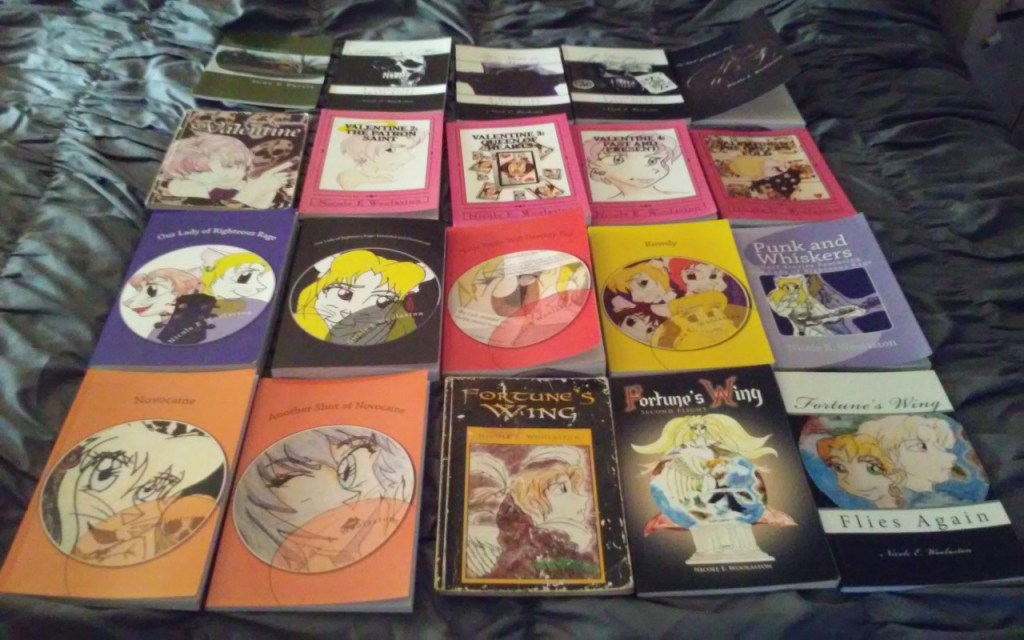
Upcoming Books
I’m always writing. Even when I tell myself to take a break, an idea pops up, and I have to work on it to some degree. I have resumed working on Righteous, the fourth installment in the Our Lady of Righteous Rage series. I’m working on two more books in the Valentine Apart series: Jo Fuentes: Project Sleep and Young Kelly McCormick. Plus, I have an idea brewing for a sequel to The Witch of Fulton Lane, and another Valentine spin-off. See? Brain no sleep, no take break…
I’ll keep you posted. Next month, I’m focusing on music, and Our Lady. TTFN.
 woolastonentertainment.com