Oh, let’s talk about pen names! Let’s start with what a pen name is. By definition, it’s a false name an author uses to publish their written work instead of … Continue reading Amazon Author Central and Pen Names
Oh, let’s talk about pen names! Let’s start with what a pen name is. By definition, it’s a false name an author uses to publish their written work instead of … Continue reading Amazon Author Central and Pen Names
Yes, seventeen. As in sixteen plus one.
Hello, good readers! It’s a new month and a New Year and as far as writing and publishing are concerned, I’m off to a great start. They Said What? releases … Continue reading Fun With Book Sizes

Hello, dear readers! If you’ve followed me for any amount of time or poked around on this website, then you’re probably aware of how I publish my books. They’re available … Continue reading The Hardcovers Are Coming…
Now hear this: KDP is about to start beta testing virtual voice-narrated audiobooks! What Does This Mean? Authors who use KDP will have the advantage of offering their ebooks in … Continue reading Publishing Audiobooks with KDP
Whenever I shop for a book on Amazon, one of the things I like to check, is if the book is available as an ebook. There are many titles I will purchase printed copies of, and there are a few titles I purchase only in ebook form. When you search for a title on Amazon, and click on it, you should be able to see all the available formats in one place (ebook, paperback, hardcover). Having to do another search to find other formats can be a bit of a hassle.
As a writer, I use Amazon’s KDP service to publish my books. This means all of my titles are available on Amazon. When you publish your book with KDP as a printed book, you have the option to make it available as a Kindle book as well, and vice versa. You can also link both formats, so they will appear together, whenever someone searches for that title on Amazon. Every now and then, a mistake happens, and the formats will not be linked to one another. Even if you select “Link Books”, your books may not be linked. Luckily, Amazon can fix this for you, in Author Central.
Author Central (for those who do not know) is Amazon’s site for authors who have books that are available in Amazon’s store. Here, authors can update Amazon’s list of their books, upload a headshot, and include a link to their blog. You can also check sales information for your books and keep up with customer reviews. If you’re having trouble linking your books to one another, here’s what you can do:
First, I recommend deciding which of your books need to be linked, and having the ISBN or ASIN numbers ready. At the very bottom of the Author Central page, click on “Contact Us”. This will take you to another screen.
Under “Select an issue”, select MY BOOKS
Under “Select Details”, select UPDATE INFORMATION ABOUT A BOOK
Next, select UPDATE SOMETHING ELSE
Next, select I WANT TO LINK ONE EDITION OF MY BOOK TO ANOTHER EDITION
Select how you would like to be contacted (email or phone call). I recommend email, because a space will appear, where you can enter the title of your book, along with the ISBN and ASIN numbers that need to be linked together.
Give Amazon about 24 hours. This is an easy fix, and they will contact you when it is complete.
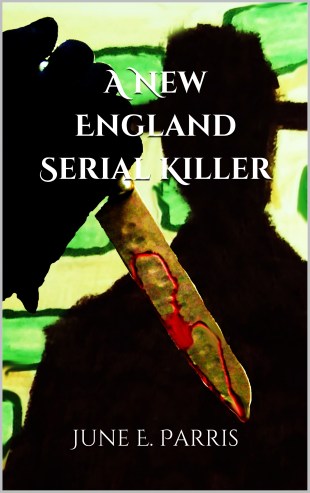
Hello! There’s a thing happening this weekend! My mother June Parris recently published her third book, A New England Serial Killer. It’s the story of a newlywed couple who settle into their new lives in Boston, in a house that has been in the family for generations. However, a series of bizarre murders take place, and with odd behavior from the staff, they’re not sure of exactly what is happening.
The ebook is available for FREE this weekend on Amazon. If you have a Kindle or the Kindle App, please download a copy. If you like it, please leave a review!
A New England Serial Killer on Amazon
As a self-published author, I don’t have the staff most publishing houses use. Traditional publishers have editors and graphic designers, and people who know how to handle marketing. I am a one woman show: I have to rely on my own editing skills, as well as act as my own graphic designer and do my own marketing. This means, I have to wear several hats. The upside of this, is I am constantly learning new ways to wear all three of those hats.
Lately, I’ve had other writers ask me about publishing their books through Amazon, and how it compares to other self-publishing services I’ve encountered. I often compare Amazon’s service, KDP (Kindle Direct Publishing) to Xlibris, another well-known Print-On-Demand (or POD) publisher. Aside from pricing and creative control, a major difference is the author’s ability to update the content of their book. What does this mean? Let me explain.
Let’s say you’ve written your manuscript, and checked it and rechecked it for errors. You’ve read it so many times you’re literally sick of your own book. You upload it to KDP’s site, follow all of the steps, approve everything, and KDP publishes your book. It becomes available for sale on Amazon. You’re proud, as you should be! You order an “author copy” and read it when it arrives. Then, it happens: you find a typo. After all of that reading and editing and checking, there’s still a bloody typo. You’re thinking to yourself: “Oh, just end me already!” But all is not lost.
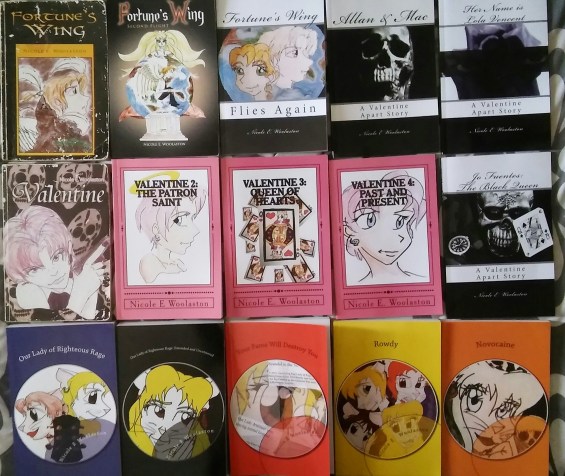
YOU CAN STILL UPLOAD NEW CONTENT FOR YOUR BOOK! Yes, if you make corrections to your manuscript, even after your book is published and Amazon has made it “live” on their site, you can still upload a updated version of your book’s content. You’re probably thinking, there must be some sort of time frame in which this has to be done. No, there isn’t. As long as the book is available on Amazon, you can update the content at any time. How do I know? I spotted a mistake in Our Lady of Righteous Rage: Extended and Uncensored, nearly three years after I published it. I made the correction, uploaded the updated manuscript, and all is well.
Now, you’re probably wondering: Publishing with Amazon is free, but will I have to pay a fee when I update my book’s content? No. It’s still free.
Xlibris, on the other hand…
I published the first edition of Valentine with Xlibris in 2010. They sent me an author’s proof copy, so I could check for any errors. The first few mistakes were corrected for free. I was told, if any other changes needed to be made, there would be a fee. And this is after I had spent about $350 on a publishing package. And that was a sale, by the way.
I’m not trying to tell you what to do. You’re your own person, with your own mind; you can decided for yourself. But I hope my personal experiences have offered some insight.
In all of the years that I have published books with Amazon’s KDP (formerly Create Space), I have learned many things through trial and error. When it comes to uploading a copy of your manuscript, two of your best choices for formats are PDF or a Word Document. However, I’ve learned this depends on if you’re publishing an ebook or a printed book. So, here’s my advice.
Use a PDF for Printed Books
As long as you have made all of your page breaks, it seems the best format to upload a printed book, is a PDF. There’s a much better chance your book will retain all of its margins if you use a PDF. There’s nothing more annoying than looking at your print preview and seeing one heading on one page begin three or four lines lower than you intended, or seeing the beginning of a chapter start on the end of a page instead of the beginning. Also, when it comes to page numbers, you may want to have them start from a bottom margin of at least 1.3. You can try 1.2, but that’s pushing it.
Use a Word Doc for Ebooks
It’s been my experience the good old fashioned Word Doc works just fine for ebooks. I’ve tried using PDF’s in the past, and even Amazon’s KDP advises against them. When it comes to ebooks and PDF’s, it seems the two just can’t get along. Your best bet is to upload your manuscript as a Word Doc. Even if you’re using Google Docs, download your manuscript as a Word Doc, then upload it.
It’s a new year: 2020. 2019 has finally died. People around me are busy making resolutions, and I generally don’t make any. My usual goal is simply to finish whatever I start. But this year, I do have one resolution, and this is it: I’m going to do more of the things that scare me; I’m going to challenge myself more.
Working in a public library has introduced me to many new people, some of whom are interested in writing and publishing (two of my favorite things!). During NaNoWriMo, I was fortunate to lead a workshop for creative nonfiction. I had no idea how much people enjoyed it, and it’s slowly turning into something I’m going to run all year ’round. Lately, I’ve had a few library patrons ask about publishing books through Amazon, so I’d like to integrate self-publishing information into my 2020 workshops. There’s something else I’m planning, too.
I’m going to do more of the things that scare me; I’m going to challenge myself more.
A few years ago, an offer was made to me to teach a class on Skillshare, but I never went through with it because I was too nervous. Several people have suggested that I post videos online to promote my writing. Again, I was too nervous and never went through with it. So this year, I’m going to get over my fear, and post a few videos. I’m planning to release a series of tutorials on how to navigate Amazon’s publishing service, KDP. Am I an expert on the subject? Maybe not an expert, but after working with an overpriced self-publisher, a publisher who closed for business, and publishing 32 books with KDP, I think I have a lot of knowledge to share.
I’m currently nursing a cold (more like the flu), so I’ll have to wait until my voice sounds normal to make these videos. I’ll keep you posted.
PS: I’ve update the refund policy on the Online Store, to make things easier for my customers/readers 🙂

